Deploy the Model
The bottom of Camunda Modeler has a bar with some utilities.
One of them is a little  icon that can be used to deploy models to a running Camunda engine.
Click it to open the dialog.
Click the Deploy button.
If deployment is successful, Modeler will temporarily display a notification to confirm.
icon that can be used to deploy models to a running Camunda engine.
Click it to open the dialog.
Click the Deploy button.
If deployment is successful, Modeler will temporarily display a notification to confirm.
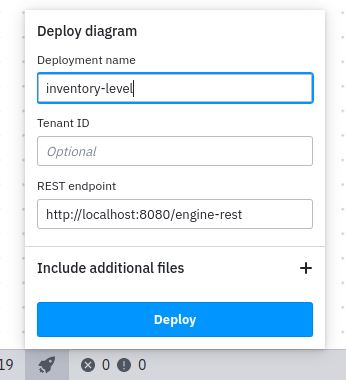
Figure 1. Deploy dialog in Camunda Modeler
In the Camunda Cockpit in your browser, refresh the deployments page from . You can inspect that the model you deployed from the Camunda Modeler is listed here.